
Positioning an RTK Base station in France and DROM
1. Convert a Log File to a RINEX File
- Go to the LOGS tab of your RTK base and click the pencil (
edit) for a complete 24-hour .zip file.
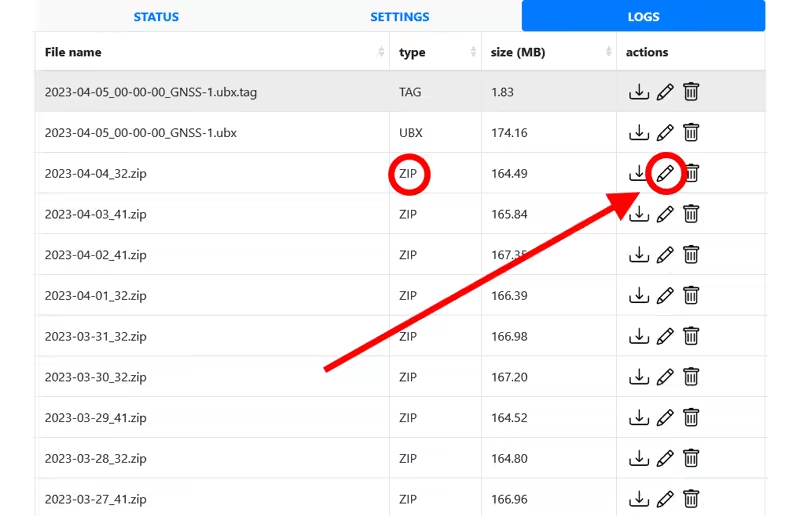
- A window will open offering to convert the log file into a RINEX file.
- If you are in France: choose the IGN preset, which is compatible with the IGN online services for precise positioning calculations. Click Create Rinex File.
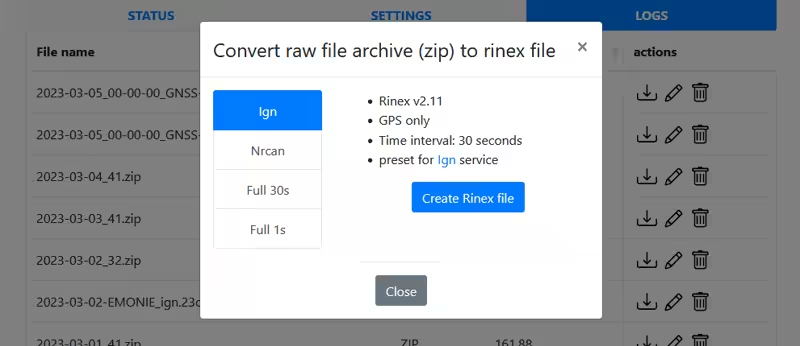
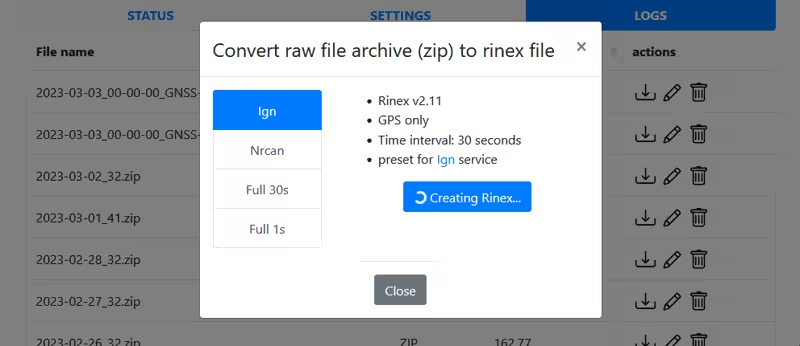
- Wait while the RINEX file is created; this may take several minutes.
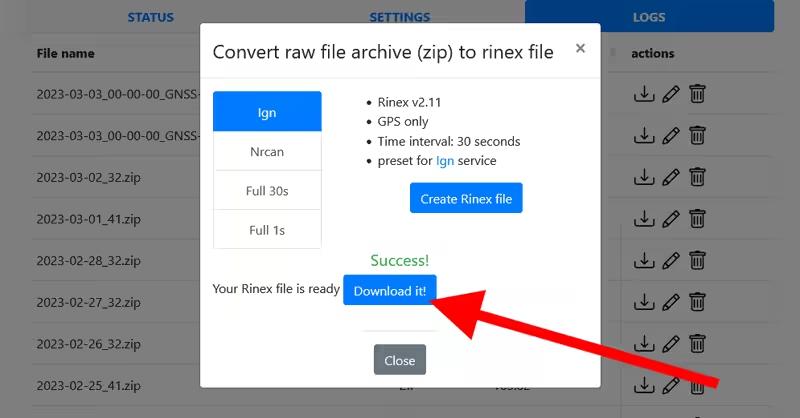
- Download the generated file. Once the window is closed (
close), the RINEX file will also appear in the logs list with a name like YYYY-MM-DD-your_mountpoint_name_ign.26o, with a size of about 4 MB.
2. Post-Processing
This step corrects the raw data from your RTK base using reference stations from the Permanent Geodetic Network to obtain a precise corrected position.
- Translate the page using browser translation
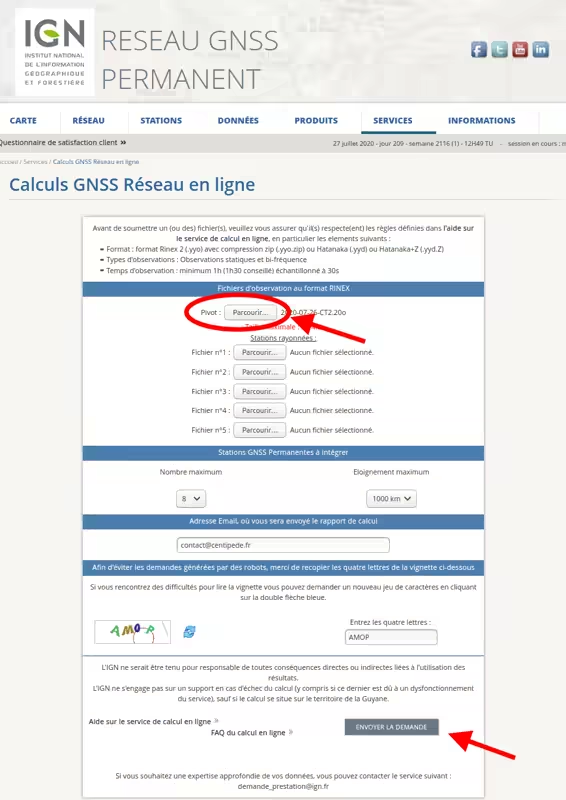
- Go to the IGN website: Online GNSS Network Calculations
- In the "Observation files in RINEX format" section, upload your file YYYY-MM-DD-MP.26o into Pivot
- In the "Permanent GNSS Stations to integrate" section, set:
- maximum number: 8
- maximum distance: 1000 km
- Enter your email address to receive the report
- Complete the captcha
- Click Submit request
The positioning report will be sent to your email after a few minutes.
3. Interpreting the Report
- The report (xxxxxx.tar.gz) must be extracted. It will also be required when declaring your base on the Centipede-RTK network.
- The report contains 3 documents:
- a help file (readme.txt) explaining the report structure
- a PDF map showing the distribution of reference stations and the residuals of the adjustment
- the calculation report in text format
- The report is composed of several sections; the position of your base is located at the end of the document in the ====== RGF93 ====== section. In DROM, the section will be named differently: French Guyana: RGFG95, Antilles: RGAF09, La Réunion: RGR92, St-Pierre & Miquelon.
- It is important to check the ESTIMATED ACCURACY (2*SIGMA) section because it indicates the quality of the calculation.
Your values must be below 10 mm for E_N and E_E, and below 20 mm for E_H. - Note the coordinates of your base in this order: Latitude Longitude Hell, so that you can copy them into your RTK base.
- Now proceed to finalize the RTK Base Positioning Configuration