
Software installation
1. Download the image for Raspberry Pi / Orange Pi
Download the RTKBase image for your board from your computer:
- Orange Pi Zero: BaseGNSS_2.7.0_Opi-Zero
- Orange Pi Zero 2: BaseGNSS_2.7.0_Opi-Zero2
- Orange Pi Zero 3: BaseGNSS_2.7.0_Opi-Zero3
- Raspberry Pi 64b: BaseGNSS_2.7.0_Raspberry_Pi
Warning: do not copy the Base_GNSS_X.X.X.zip image directly onto the micro SD card!!!
2. Download and install ETCHER
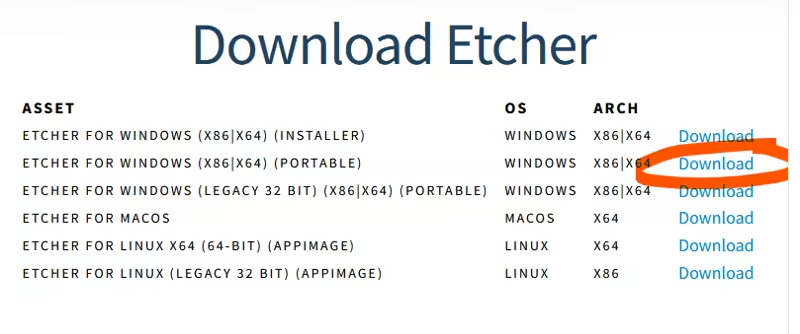
Download and install BalenaEtcher on your computer (Windows, Linux, Mac). This program will allow you to correctly install the downloaded BaseGNSS image onto the micro SD card: https://www.balena.io/etcher. If you use Windows, you can choose the portable version:
3. Insert the Micro SD card into the computer

4. Flash the SD card with the image
Start BalenaEtcher, select the downloaded image, the SD card (normally already selected), and flash the card:

5. Then remove the SD card from the PC
You can now remove the SD card from the PC and insert it into the Raspberry Pi.
6. Assembly and first startup
Connect an ethernet cable to your network so that your base can send its data to the Centipede-RTK caster.
Connect the GNSS receiver to the Raspberry Pi / Orange Pi board or another board.
Insert the micro SD card into the Raspberry Pi / Orange Pi and power it on.
Depending on the board model, it may be possible to connect an HDMI display to visualize the installation process.
The green and/or red LEDs on the Raspberry Pi / Orange Pi board light up and/or blink during this first startup (starting services). (~ 5 min or more).
On a PC connected to the same network, open a web browser and access the RTK base interface via the URL: http://basegnss.local or using the Raspberry Pi IP address if you are on a network.
Password:
admin
If you do not see a position or bars on the graph, it means the initialization of your GNSS module did not complete correctly. It is recommended to check the connections, reflash the SD card, and restart the installation.
Next, move on to the Configuration
SSH connection for developers or debugging
- username:
ssh basegnss@basegnss.local - password:
basegnss!